


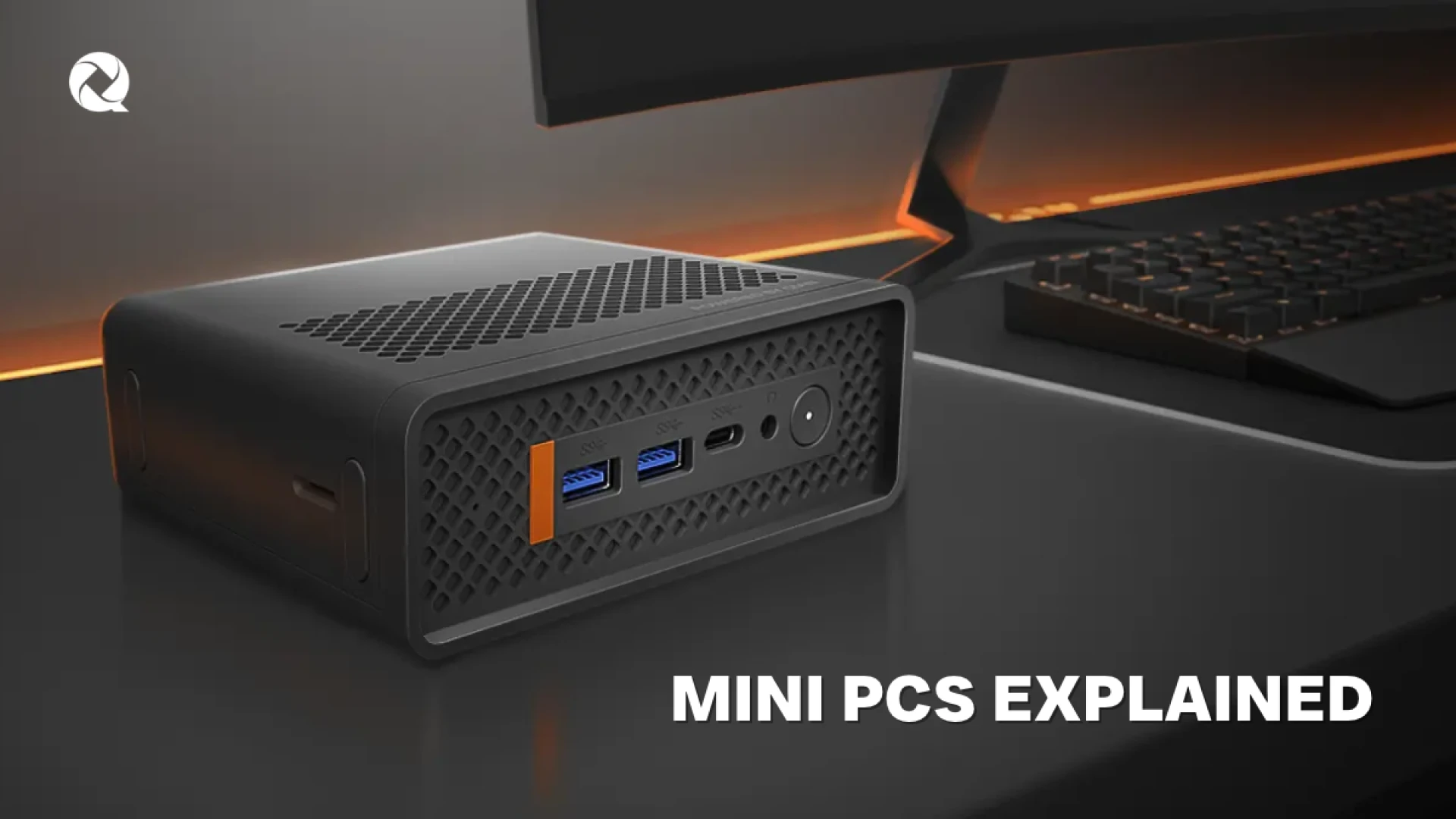
Mini PCs Explained: What They Are and How They Compare to Traditional Desktop PCs
by Qian
Discover what a Mini PC is, how it compares to traditional desktop towers, and why compact computing is ideal for modern workspaces and businesses.
Mini PCs have redefined modern workspace design, delivering robust daily computing performance without the bulky footprint of traditional desktop towers. This comprehensive guide explores what a Mini PC is, how it compares to desktop systems, and why compact computing is becoming the preferred choice for offices, businesses, and modern professionals.
Mini PCs Explained: What They Are and How They Compare to Traditional Desktop PCs
Computers have become an essential part of how businesses work, communicate, and manage daily operations. However, not every workspace or office setup requires a large, heavy desktop tower taking up valuable floor or desk space.
For corporate offices, small businesses, reception areas, home offices, and other space-conscious environments, a Mini PC provides the computing power needed for everyday tasks in a remarkably compact form factor. But what exactly is a Mini PC, how does it differ from a traditional desktop, and when does it make sense for your workflow? Let’s examine the details.
What Is a Mini PC?
A Mini PC is a fully functional computer designed within a miniature enclosure. Just like a traditional desktop computer, it incorporates the essential internal hardware required to run a full operating system, business software, and daily workloads. The primary distinction lies entirely in its physical footprint.
Instead of housing components inside a large tower chassis, Mini PCs integrate everything into a compact frame. This allows them to sit discreetly on a desk, mount directly behind a monitor, or fit neatly into tight spaces like reception counters. Despite their reduced size, they efficiently handle standard business and productivity workloads, including:
- Web browsing, research, and high-volume email correspondence
- Office suites, data management, and spreadsheet processing
- Video conferencing and virtual team collaboration
- Specialized business software, file management, and media streaming
Mini PC vs. Traditional Desktop PC: Core Differences
When evaluating compact computing against standard desktop towers, several structural differences stand out regarding layout, performance potential, and daily utility:
| Feature | Mini PC | Traditional Desktop PC |
|---|---|---|
| Physical Footprint | Ultra-compact; fits behind monitors or on small desks | Requires dedicated floor or desk space for a large tower |
| Upgradability | Streamlined internal layout; limited internal component swaps | Ample room for multi-GPU setups, storage expansions, and custom parts |
| Energy Efficiency | Engineered around low power consumption and mobile architectures | Higher power draw due to high-performance dedicated parts |
| Workspace Flexibility | Exceptional for tight areas, retail points, and clean desks | Stationary setup built for permanent fixed workstations |
Who Benefits Most From a Mini PC?
Mini PCs deliver high adaptability across diverse professional environments where maximizing space and maintaining reliable computing power are top priorities:
- Small Businesses & Corporate Offices: Ideal for managing daily administration, email flow, cloud-based applications, and paperwork while keeping desk configurations clean.
- Reception & Point-of-Sale Desks: Front-desk areas require integration with ticket printers, scanners, and payment devices without cluttering client-facing spaces.
- Home Offices & Remote Work: Maximizes available desktop space for remote professionals who need a full computer system without a cumbersome physical footprint.
- Digital Signage & Multi-Monitor Setups: Perfect for powering multi-display workstations, presentations, and digital displays due to dual-display support and compact mounting options.
Key Specifications to Evaluate Before Buying
To ensure a compact computer matches your expected workload, review these critical technical criteria:
- Processor (CPU): Drives multitasking fluidity and execution speed. Modern processors balance performance with strict energy efficiency.
- Memory (RAM): Determines how smoothly multiple open apps, browser tabs, and software run simultaneously without lag.
- Storage (SSD): High-speed NVMe solid-state drives drastically accelerate system boot speeds, file access, and software loading times.
- Connectivity & Ports: Ensure the unit features adequate USB ports, audio jacks, wireless networking, and video outputs for your peripherals.
Meet the Qian Atlas 5 Mini PC
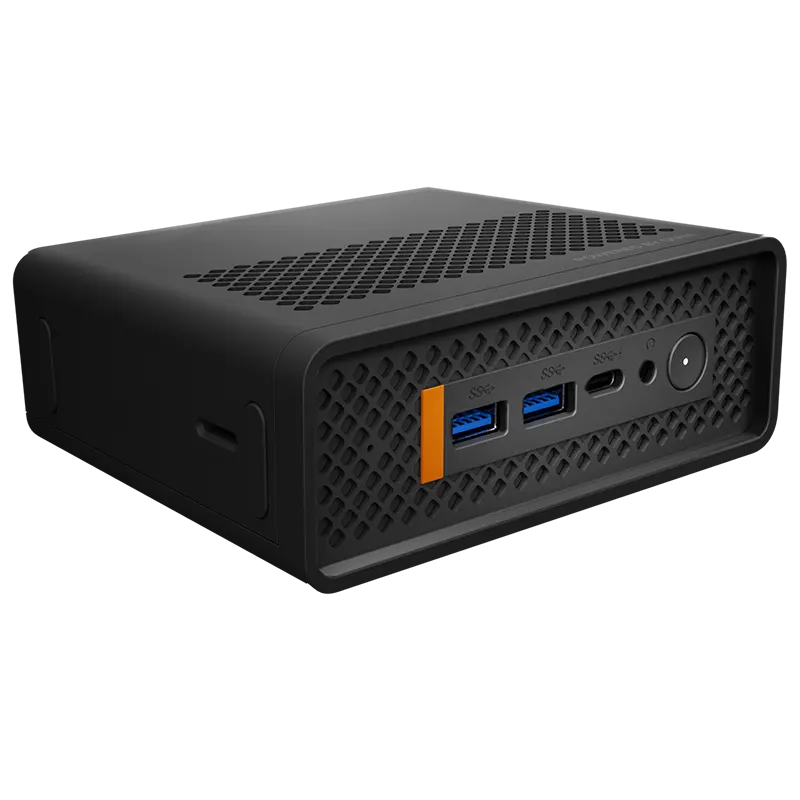
If you are looking to upgrade your office, business, or everyday productivity setup with a reliable compact system, the Qian Atlas 5 Mini PC (QII-12A15) merges professional design with strong enterprise hardware capabilities.
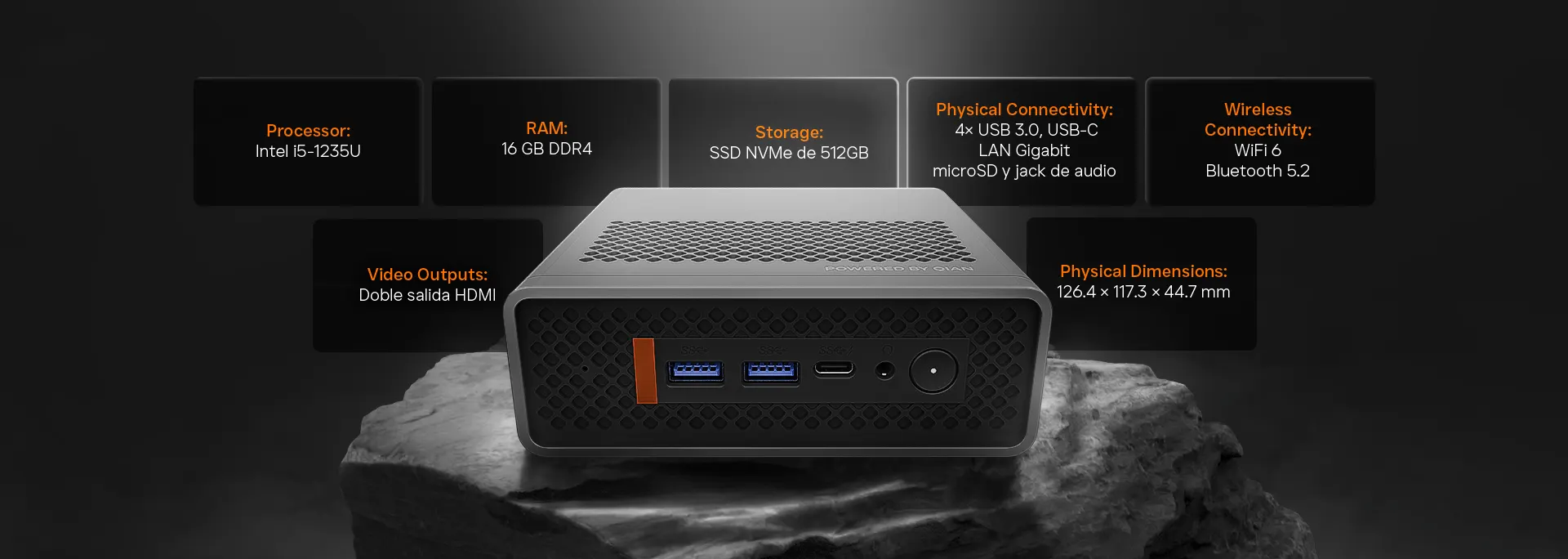
Driven by a 12th Gen Intel® Core™ i5-1235U processor, 16GB of DDR4 RAM, and a fast 512GB M.2 NVMe SSD, it handles multitasking, office apps, and virtual meetings effortlessly. It also includes dual HDMI video outputs for multi-monitor workstations, four USB 3.0 ports, USB-C data connectivity, RJ45 Ethernet, audio jacks, a microSD slot, along with advanced Wi-Fi 6 and Bluetooth 5.2 connectivity.
Qian Atlas 5 Mini PC (QII-12A15)
Equipped with a 12th Gen Intel® Core™ i5 processor, 16GB RAM, 512GB NVMe SSD, dual HDMI outputs, and Wi-Fi 6. Designed to deliver clean performance in space-constrained workspaces.
Explore the Qian Atlas 5 Mini PC →Conclusion: Is a Mini PC Right for You?
Selecting the ideal computer format comes down to balancing your operational workload with physical constraints. Traditional desktop towers remain appropriate when you require massive hardware expansions or heavy dedicated gaming graphics.
However, if your business goals prioritize a clean workspace, energy efficiency, flexible mounting, and reliable everyday productivity, a Mini PC offers an unmatched modern solution. Begin with your core workflow requirements and choose the form factor that best supports your success.
Frequently Asked Questions (FAQ)
Can a Mini PC handle heavy office multitasking and business apps?
Yes. Modern Mini PCs equipped with capable multi-core processors (like the Intel Core i5 in the Qian Atlas 5) and fast NVMe storage effortlessly manage daily corporate software, multi-tab browsing, and video meetings.
Are Mini PCs easy to mount behind monitors?
Most Mini PCs feature compact enclosures designed to fit into standardized VESA mounting brackets, allowing them to attach discreetly to the back of compatible monitors to save desk space.
Do Mini PCs consume less electricity than desktop towers?
Yes, they typically leverage energy-efficient internal components optimized for low power consumption, making them economical for workstations running continuously throughout the day.
Can I connect multiple displays to the Qian Atlas 5 Mini PC?
Yes, the Qian Atlas 5 includes dual HDMI outputs built specifically to support multi-monitor desktop configurations for enhanced productivity.
Discover Compact Computing With Qian
Explore the Qian Atlas 5 Mini PC and find out how compact hardware can elevate your workspace efficiency.
Explore the Qian Atlas 5 Mini PCSubmit your review
Your email address will not be published. Required fields are marked *
 GAMING PCs
 MONITORS
 AUDIO
AUDIO
 COMPUTER CASES
 POWER SUPPLIES
 KEYBOARDS & MICE
 FURNITURE
 FANS & PC COOLING
 STREAMING GEAR