


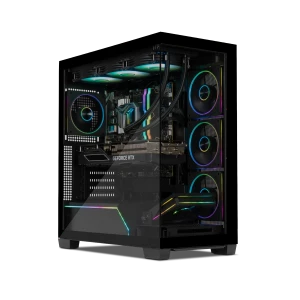
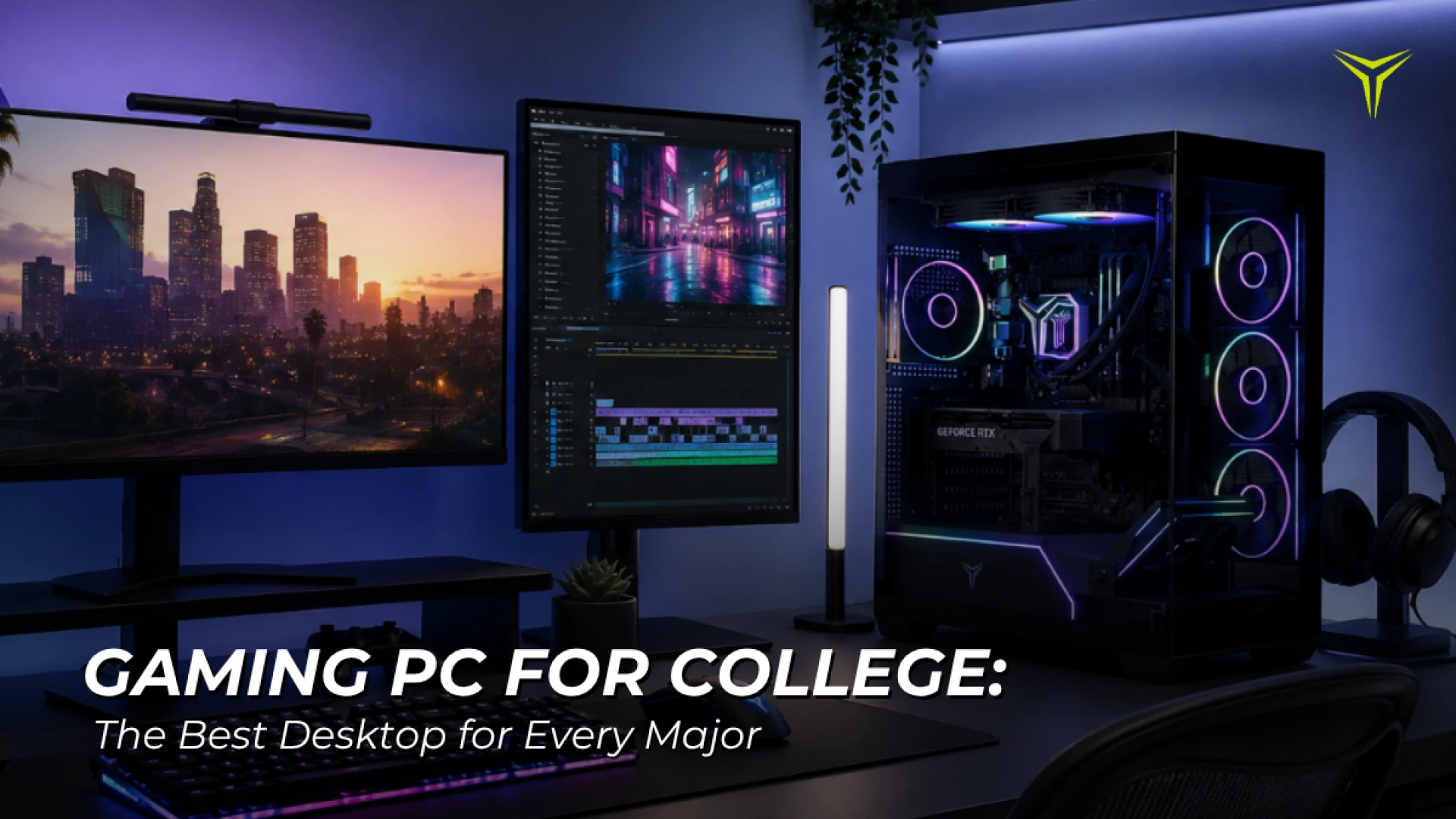
Gaming PC for College: The Best Desktop for Every Major (2026 Guide)
by YEYIAN
Discover the best gaming PCs for college students by major. Compare top Yeyian desktops equipped for business, computer science, architecture, and engineering.
Gaming PC for College: The Best Desktop for Every Major (2026 Guide)
Choosing a computer for college isn't as simple as it used to be. Today's students don't just write papers and browse the web—they code, edit videos, design 3D models, analyze data, build AI projects, attend virtual classes, and, of course, unwind with their favorite games after class.
That's why investing in the right desktop PC matters. The ideal system depends on your major, the software you'll use, and how you plan to spend your time outside the classroom. In this guide, we'll break down the best gaming PCs for college students by major, explain which specs actually matter, and recommend Yeyian Gaming desktops designed to keep up with both your coursework and your downtime.
Which Gaming PC Is Right for Your Major?
| College Major | Recommended Specs | Recommended Yeyian PC |
|---|---|---|
| Business, Marketing, Communications, Education | Intel Core i5 • 16GB RAM • RTX 3060 Ti | Shoge 14F0B-36T1U |
| Computer Science, Cybersecurity, IT | Intel Core i5 • 32GB DDR5 • RTX 5060 | Vault 44F0C-5603U |
| Graphic Design, Architecture, Video Production | Intel Core Ultra 5 • RTX 5070 • 32GB DDR5 | Astra X 25KFC-570Q2U |
| Engineering, AI, Machine Learning | Intel Core Ultra 7 • RTX 5080 • 32GB DDR5 | Mirage S 265YC-5801B |
Why More Students Are Choosing Gaming PCs for College
A gaming PC isn't just built for gaming anymore. The same hardware that delivers high frame rates also accelerates professional applications used in college, including:
- Adobe Creative Cloud
- Blender
- Autodesk AutoCAD
- Autodesk Revit
- Unreal Engine
- Unity
- Visual Studio
- Android Studio
- MATLAB
- Virtual Machines
- Data visualization tools
- AI development frameworks
Instead of buying a desktop you'll outgrow in two years, many students are choosing systems that can handle demanding coursework today and still perform after graduation.
Best PC for Business, Marketing & Communications Students
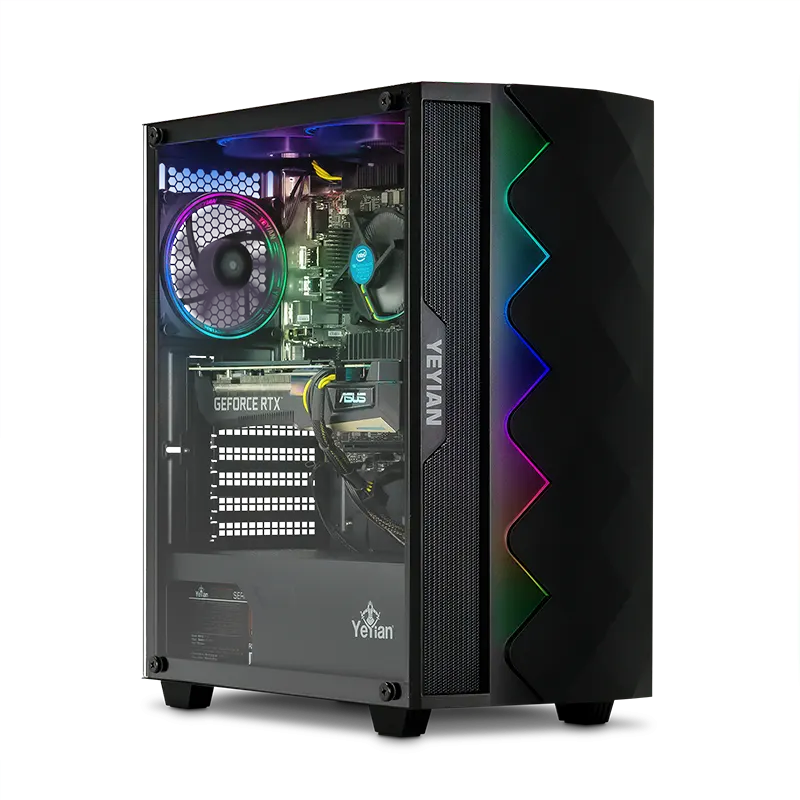
Yeyian Shoge 14F0B-36T1U
Best PC for Business, Marketing & Communications
Not every student needs the most powerful desktop on the market. If your coursework focuses on presentations, spreadsheets, research, video calls, digital marketing, or everyday productivity, the Shoge 14F0B-36T1U delivers excellent performance while giving you the freedom to enjoy modern PC games after class.
Key Specifications
- Processor: Intel® Core™ i5-11400F
- Graphics: NVIDIA® GeForce RTX™ 3060 Ti
- Memory: 16GB DDR4 3200MHz
- Storage: 512GB M.2 NVMe Gen3 SSD
- Motherboard: B560
Ideal For:
- Business
- Marketing
- Communications
- Education
- Liberal Arts
- Psychology
- General Studies
This configuration provides more than enough power for productivity software while delivering smooth gaming performance in popular titles like Fortnite, Valorant, Rocket League, League of Legends, and Counter-Strike 2.
👉 Learn moreBest PC for Computer Science, Cybersecurity & IT Students

Yeyian Vault 44F0C-5603U
Best PC for Computer Science, Cybersecurity & IT
Students in technical fields often run several demanding applications simultaneously. Whether you're compiling code, running virtual machines, working inside Docker containers, or managing databases, additional memory and storage make a noticeable difference.
Key Specifications
- Processor: Intel Core i5-14400F
- Graphics: NVIDIA GeForce RTX 5060 8GB GDDR7
- Memory: 32GB DDR5 6000MHz RGB
- Storage: 2TB NVMe Gen4 SSD
- Cooling: RGB Air Cooler
Ideal For:
- Computer Science
- Cybersecurity
- Information Technology
- Software Engineering
- Data Analytics
The combination of 32GB DDR5 memory, fast Gen4 storage, and the RTX 5060 gives students plenty of room for development environments while still delivering excellent gaming performance. It's also an outstanding choice for students who enjoy streaming or recording gameplay in their free time.
👉 Learn moreBest PC for Graphic Design, Architecture & Content Creation
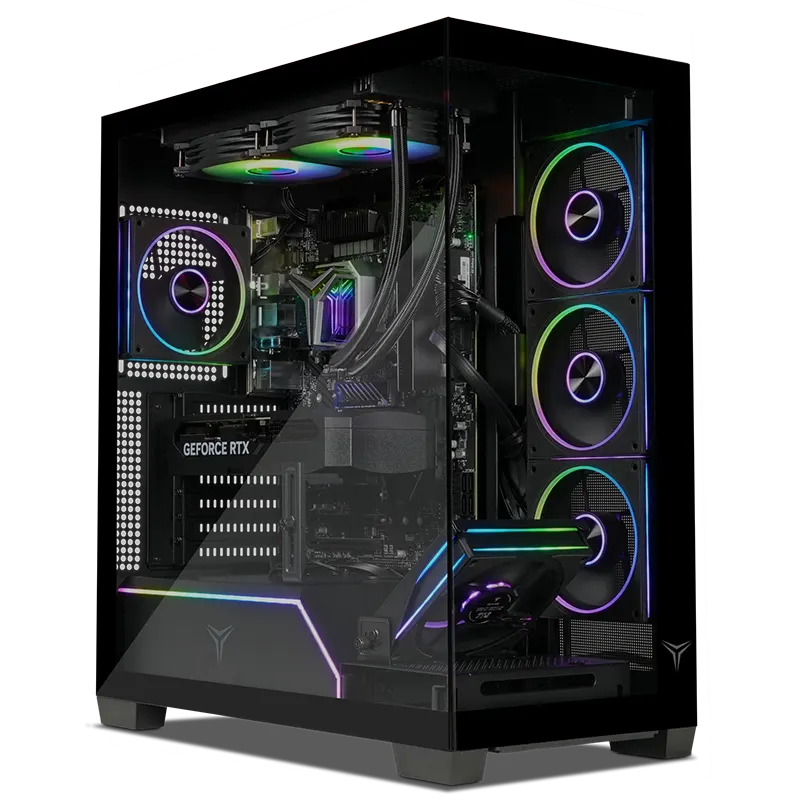
Yeyian Astra X 25KFC-570Q2U
Best PC for Graphic Design, Architecture & Content Creation
Creative majors require significantly more graphics performance than the average student. Rendering high-resolution images, editing 4K video, creating animations, or working on architectural models demands a desktop that won't slow down during complex projects.
Key Specifications
- Processor: Intel Core Ultra 5 250KF
- Graphics: NVIDIA GeForce RTX 5070 12GB GDDR7
- Memory: 32GB DDR5 6000MHz RGB
- Storage: 2TB NVMe Gen4 SSD
- Cooling: High-performance Air Tower Cooler
Ideal For:
- Graphic Design
- Architecture
- Interior Design
- Animation
- Film Production
- Photography
- UX/UI Design
The RTX 5070 accelerates creative applications while the Core Ultra processor keeps demanding workloads running smoothly. Whether you're editing in Adobe Premiere Pro, creating assets in Blender, designing in Photoshop, or building environments in Unreal Engine, this desktop is ready for serious creative work.
👉 Learn moreBest PC for Engineering, AI & Machine Learning Students

Yeyian Mirage S 265YC-5801B
Best PC for Engineering, AI & Machine Learning
Engineering and AI programs often push hardware much harder than traditional college workloads. Simulation software, CAD applications, AI development, rendering, and computational projects all benefit from faster processors and more powerful graphics hardware.
Key Specifications
- Processor: Intel Core Ultra 7 265KF
- Graphics: NVIDIA GeForce RTX 5080
- Memory: 32GB DDR5 6000MHz RGB
- Storage: 2TB NVMe Gen4 SSD
- Motherboard: Z890 DDR5 Wi-Fi
Ideal For:
- Mechanical Engineering
- Civil Engineering
- Electrical Engineering
- Computer Engineering
- Artificial Intelligence
- Machine Learning
- Robotics
- Advanced Simulation
This desktop is designed for students tackling demanding academic workloads while also delivering premium gaming performance when it's time to relax. Whether you're training AI models, working in CAD software, or enjoying the latest AAA titles after class, the Mirage S offers exceptional performance across every task.
👉 Learn moreDesktop vs. Laptop for College: Which Is Better?
Many students automatically assume they need a laptop, but that isn't always the best choice. If you already own a notebook for taking notes in class, a desktop can become your primary workstation in your dorm or apartment.
Compared to similarly priced laptops, desktops typically offer:
- Better graphics performance
- More powerful processors
- Improved cooling
- Easier upgrades
- Greater long-term value
- Larger storage options
For students who spend most of their study time in one location, a desktop gaming PC often provides the best overall experience.
What Specs Should College Students Prioritize?
Before buying a desktop for college, focus on these components:
- Processor: A modern Intel Core i5, Intel Core Ultra, or AMD Ryzen 7 provides excellent performance for both coursework and gaming.
- Graphics Card: An RTX 3060 Ti is still capable for many students, while RTX 5060, RTX 5070, and RTX 5080 systems offer more headroom for creative work, AI, and modern games.
- Memory: 16GB is ideal for general productivity and gaming. 32GB is recommended for creators, developers, engineers, and students who multitask heavily.
- Storage: Choose an NVMe SSD with at least 1TB, or 2TB if you'll install large software suites, creative applications, or multiple AAA games.
The best college PC isn't the most expensive one
It's the one that matches your major and your daily workload. Business students don't need the same hardware as architecture students. Software developers have different priorities than video editors. Engineering majors often require significantly more computing power than general coursework.
By choosing hardware that fits your academic needs today while leaving room for gaming, creativity, and future projects, you'll get more value from your investment throughout college and beyond. Whether you're writing code, designing buildings, editing films, building AI models, or dropping into your next multiplayer match, Yeyian Gaming offers a desktop built for your major—and your next adventure.
Frequently Asked Questions
- Is a gaming PC good for college?
Yes. A gaming PC can handle demanding academic software, creative applications, programming tools, and modern games, making it a versatile option for many college students. - Is 16GB RAM enough for college?
For business, communications, and general studies, 16GB is typically enough. Students in engineering, computer science, design, or AI programs will benefit from 32GB. - What is the best desktop for computer science students?
A desktop with an Intel Core i5 or Core Ultra processor, 32GB of DDR5 memory, fast NVMe storage, and a dedicated GPU provides an excellent balance for coding, virtual machines, and gaming. - Should architecture students buy a gaming PC?
Yes. Architecture software such as AutoCAD, Revit, SketchUp, and rendering tools benefits from powerful CPUs, dedicated GPUs, and larger amounts of RAM, making gaming PCs a strong choice for architecture students.
Submit your review
Your email address will not be published. Required fields are marked *
 GAMING PCs
 MONITORS
 AUDIO
AUDIO
 COMPUTER CASES
 POWER SUPPLIES
 KEYBOARDS & MICE
 FURNITURE
 FANS & PC COOLING
 STREAMING GEAR